Vote on behalf of your customer
How to get there: Click All posts (via a board’s breadcrumb or the sidebar shortcut, when available) → open a post → click the Vote button → select Vote on behalf.
This feature allows you to vote on behalf of your customer. It is helpful for you:
-
in case you are receiving feedback via several channels (such as email, calls, messages, WhatsApp) that you want to keep track of in ProductLift.
-
if you want to keep your ProductLift portal private, you can gather customer votes without sending invites.
There are a few ways to vote on behalf.
-
Directly in ProductLift
-
ProductLift API
-
Via integrations
Directly in ProductLift
Step 1. Vote on behalf
Open the post you want to add the vote to. Then click "Vote on behalf" (in the voting card) or "Add voter" (in the details sidebar) on the right side. Use this whenever a customer reached out through email, a call, chat, or any other channel and you want their feedback counted here too.
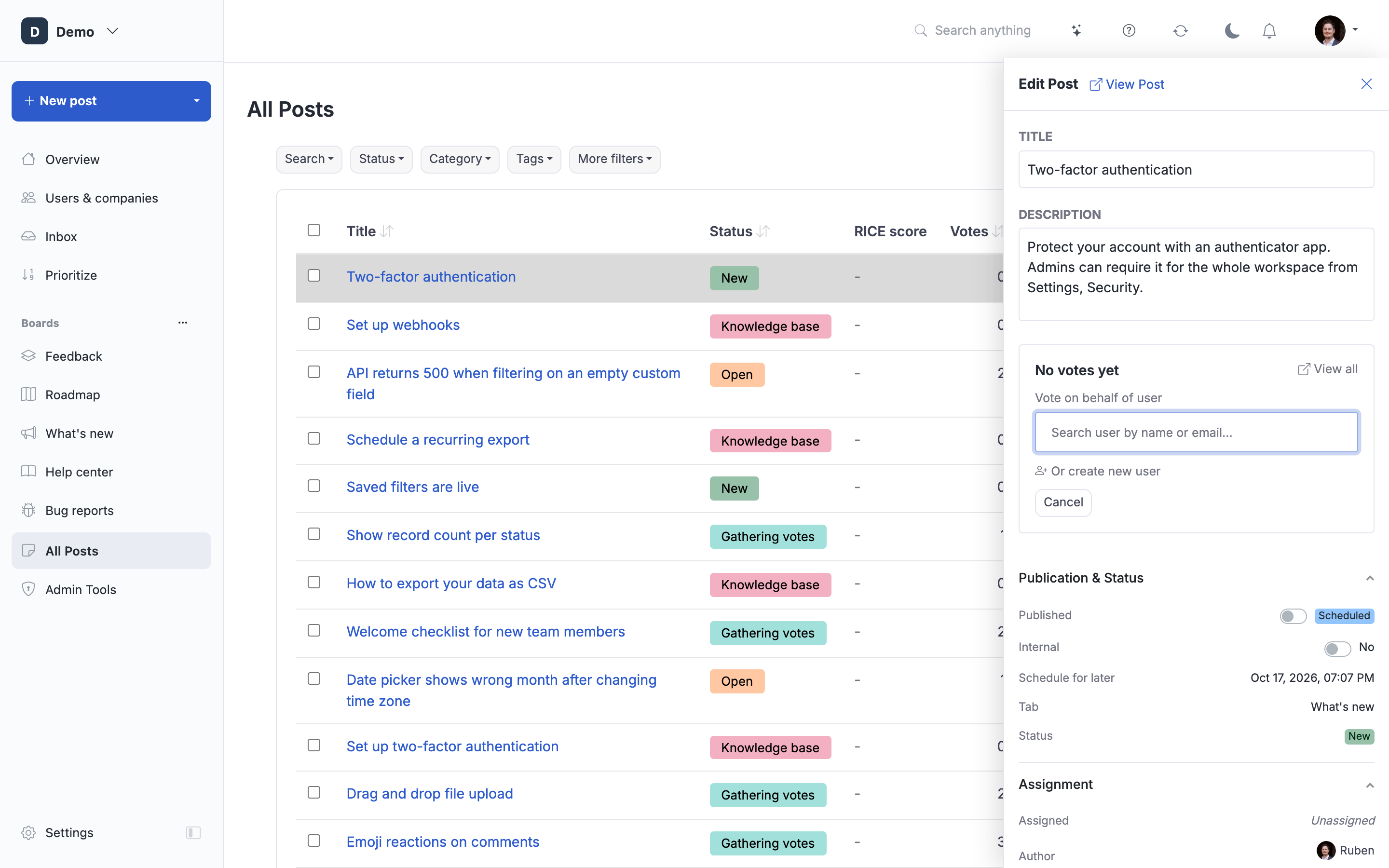
Step 2. Link the vote to your customer
Add the vote of your customer by entering their email or name. Their account will automatically show up.
Select the account and vote.
If the account is not showing up, the person has no account or is not invited yet. In that case, tick the checkbox for a new account.
The user will be created and their vote is added to the post. Adding a voter never notifies the user by default. They only hear from your portal when the status of the post changes (for example when the feature ships), which is the moment they actually care about. If you do want to send an email right away, tick "Notify by email" before saving.
The vote is also tagged internally with your admin name (visible only to other admins in the "See all voters" list), so your team can see who logged which customer's feedback.
Step 3. Ready
The vote is completed and is added to your list of "voters & followers".
At post creation time
You do not have to create the post first and then add voters. When you create a post from All Posts → New Post, the admin form has two fields that both use the same picker:
- Author. Sets who owns the post. That user is automatically counted as the first voter and subscribed to status updates. If a customer emailed you the request, set them as Author so their vote and email are on the record instead of yours.
- Vote on behalf. Add any number of additional voters (existing users or new users) alongside the Author. They are saved in the same request as the post.
This is the fastest way to log a request that came in from a call, email, or chat with multiple customers behind it: create the post, set the customer who raised it as Author, add any others under "Vote on behalf", and save once.
ProductLift API
You can vote on behalf using the ProductLift API.
curl --request POST \
    "{YOUR-PORTAL-URL}/api/v1/posts/{POST-ID}/votes/{CUSTOMER-ID}" \
    --header "Authorization: Bearer {YOUR_AUTH_KEY}" \
    --header "Content-Type: application/json" \
    --header "Accept: application/json"
You need to have an active customer for this, or you can create a new one.
You can also attach voters at the moment you create the post, in a single request, by including vote_user_keys (array of existing user UUIDs) and/or vote_new_users (array of {name, email, skip_email?, personal_message?} objects) in the POST /api/v1/posts body. skip_email defaults to true so no invite is sent unless you explicitly opt in.
Via integrations
You can vote on behalf from 1.000+ systems using the Pabbly Connect integration.
 Powered by ProductLift