Editing dates
How to get there: Click Boards in the sidebar → select your Changelog board → open a changelog entry → click the date to edit it.
You can edit the date of your changelog items, which is particularly useful for adding historical entries.
What happens after making changes
Adjusting the changelog date will result in the following date adjustments:
-
updates the latest status change date
-
updates the creation date of the post (if newer)
-
updates the creation date of the "use for changelog" comment (the comment that you can use to make a new description for the changelog)
How to change the date
The below image shows how you can make a date change.
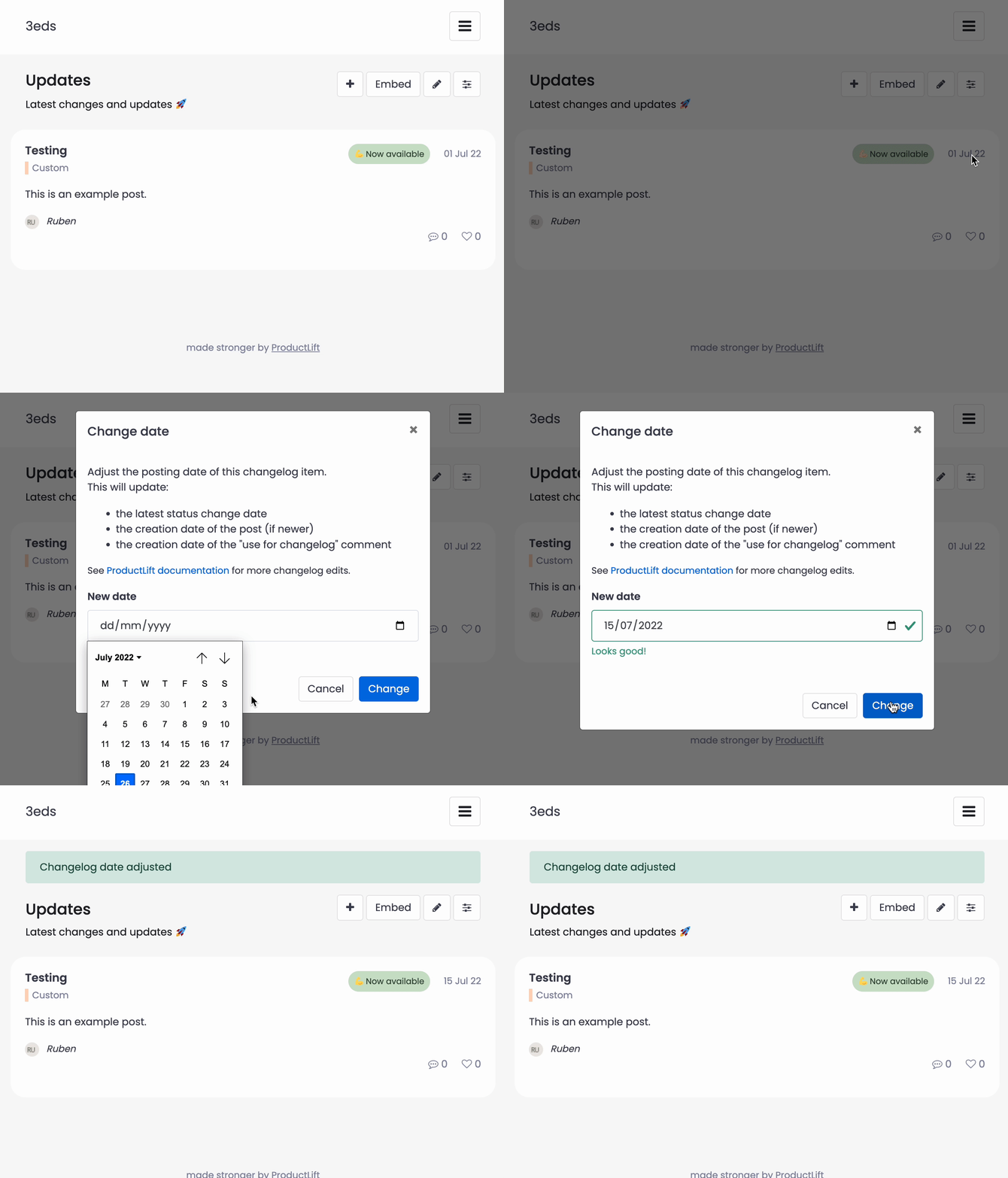
Note: Please use the format dd/mm/yyyy.