Importing posts
How to get there: Go to Settings in the sidebar → Import tab (under Organization).
Do you already have a list of feedback items, roadmap items, or changelog posts?
You can import these into ProductLift with ease from Excel or CSV.
How it works
-
Prepare an Excel or CSV file with the items you want to upload (see below how it should look like)
-
Upload in ProductLift
-
Review and adjust
-
Done
Notes
-
You can create posts also via the ProductLift API.
-
You can upload max 100 posts in one go.
How to do it
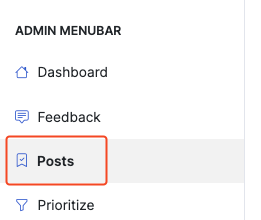
- Click Posts and then Import posts.
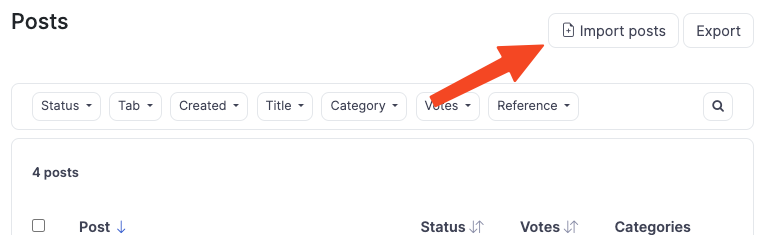
- Click Import from file

- A new area opens with the option to download the CSV or Excel templates to see how you should upload the items.
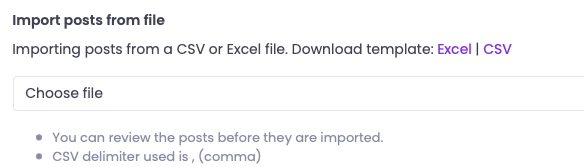
- Prepare your load file. In Excel, this is how it can look like.

You can populate the following fields:
-
Title (required)
-
Description
-
Status
-
Category (single category)
-
Section
-
Created Date (to create in the past)
-
Author Email (to assign to a user)
-
Number Votes (to preset an amount)
Authors, Statuses, Categories, and Sections need to exist in your portal before you can use them.
-
Upload your file and click the Preview import button.
-
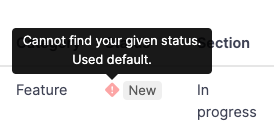
Review how ProductLift has read your file and make changes if needed (and reupload).
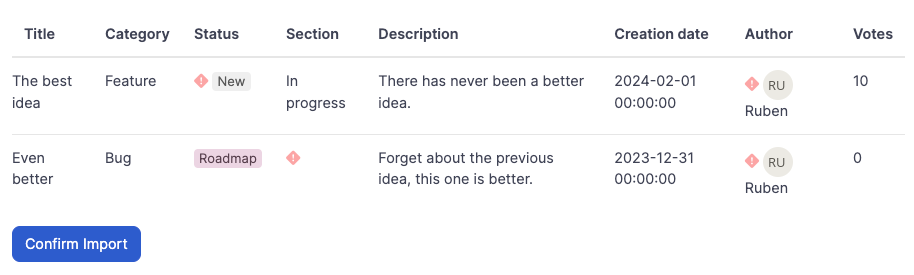
You should review the red exclamation marks.
- Click Confirm import
Done. You have successfully added the posts and got the URLs to view them.