Organizing your knowledge base
Table of Contents
Organizing the Structure of Your Knowledge Base
Efficiently organizing your knowledge base is crucial for ensuring that users can easily find the information they need. Below is a guide to help you structure your knowledge base effectively using various features available in ProductLift.
Adding Topics and Subtopics
-
Adding a Topic:
- Navigate to your knowledge base dashboard.
- Click on "Add Topic" and enter the desired topic name. For example, "Example Work."
- The topic will be added to your knowledge base structure.
-
Adding Subtopics:
- Select the main topic under which you want to add a subtopic.
- Click on "Add Subtopic" and enter the subtopic name. For instance, under "Settings," you might add "Branding."
- This hierarchical organization helps users to navigate through related content easily.
Adding Articles
- You can add articles under any topic or subtopic.
- When adding an article, you can utilize AI to assist in writing. Simply speak to your computer, and it will translate your speech into a well-structured article.
- This feature ensures that your content creation process is both efficient and user-friendly.
Managing the Structure
Using the Structure Management Feature
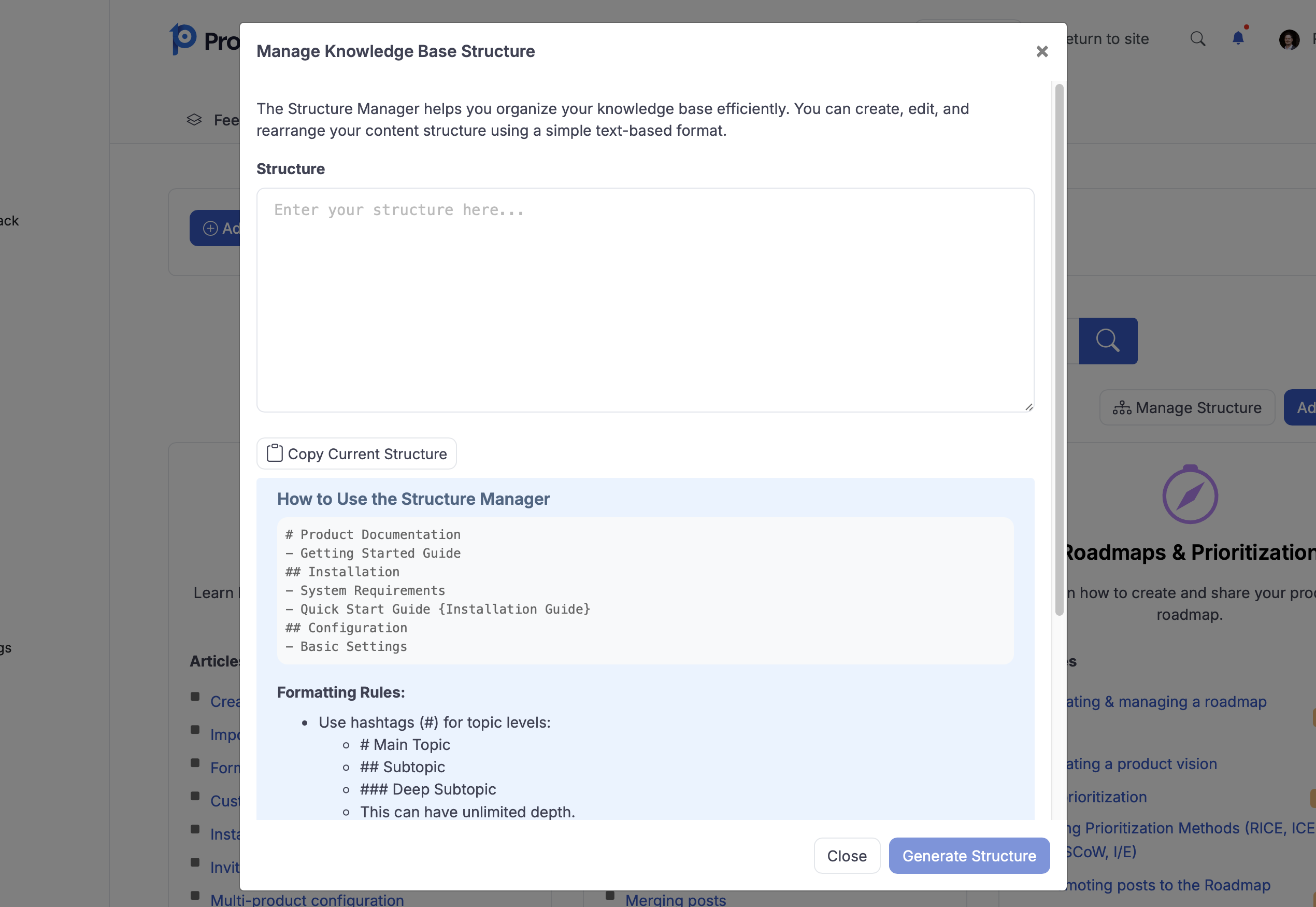
Click on "Manage Structure"
-
Copying the Current Structure:
- Start by copying the current structure of your knowledge base.
- Paste it into a notepad for easy editing.
-
Editing and Renaming:
- You can rename topics and articles directly in the notepad.
- Use installation brackets to automatically rename existing articles and topics. This feature is particularly useful for bulk updates.
-
Reorganizing Content:
- If you need to move an article, such as "Creating and Managing the Roadmap," to a different section like "Getting Started," this can be done effortlessly.
- The structure management feature allows you to move multiple articles at once, saving you significant time and effort.
Generating the New Structure
- Once you have made the necessary edits in your notepad, re-upload the file to your knowledge base.
- Click on "Generate Structure," and the system will automatically update your knowledge base with the new structure.
- This streamlined process eliminates the need for manual restructuring, enhancing your productivity.
Conclusion
Organizing your knowledge base with ProductLift is designed to be intuitive and efficient, aligning with our vision to empower SaaS product managers, project managers, and marketing strategists. By utilizing these features, you can ensure that your knowledge base is structured logically, making it easier for users to access the information they need quickly and effectively.

Ruben
9 months ago