Connect Slack for portal notifications
How to get there: Click Settings in the sidebar, open Integrations, then expand Slack.
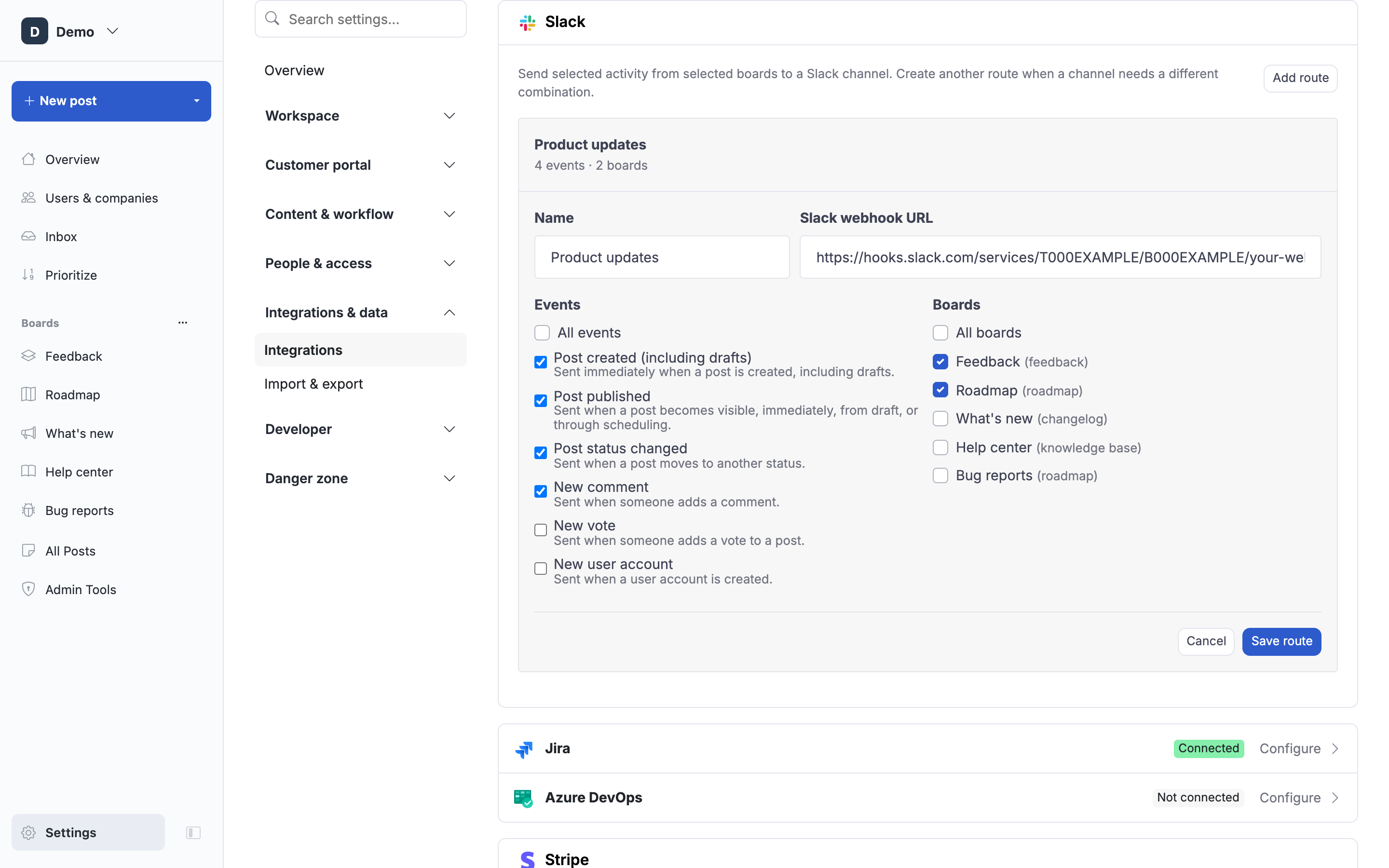
Slack routes let you send selected ProductLift activity from selected boards to a Slack channel. Create separate routes when channels need different event or board selections.
Add a Slack route
- In Slack, create an Incoming Webhook and select its destination channel. Slack gives you a URL starting with
https://hooks.slack.com/services/.... - In ProductLift, expand Slack and click Add route.
- Give the route a recognizable name and paste the Slack webhook URL.
- Choose All events or select one or more events.
- Choose All boards or select one or more boards.
- Click Save route.
New routes start enabled. Use the route's … menu to send a test message, edit it, pause or enable it, or remove it.
Slack events
- Post created (including drafts) (
post.created) - Post published (
post.published) - Post status changed (
post.status_changed) - New comment (
comment.created) - New vote (
vote.created) - New user account (
user.created)
post.created is sent as soon as the post is created, including when it is still a draft. post.published is sent when the post becomes visible, whether it was published immediately, published from a draft, or published by scheduling.
For events that belong to a post, the board selection determines which boards can trigger the route. Account-level events such as New user account do not belong to a board, so their event selection applies independently of the board filter.
Avoiding duplicate Slack messages
When a post is created and published immediately, a route subscribed to both post.created and post.published receives one human-readable Post published message. Draft creation and later publication remain separate notifications.
What about deletions?
Slack notifications are intentionally limited to the human-readable events above. If another system needs full lifecycle data, including deletions, use Webhooks.
 Powered by ProductLift