Vote on behalf of your customer
How to get there: Click All Posts in the sidebar → open a post → click the Vote button → select Vote on behalf.
This feature allows you to vote on behalf of your customer. It is helpful for you:
-
in case you are receiving feedback via several channels (such as email, calls, messages, WhatsApp) that you want to keep track of in ProductLift.
-
if you want to keep your ProductLift portal private, you can gather customer votes without sending invites.
There are a few ways to vote on behalf.
-
Directly in ProductLift
-
ProductLift API
-
Via integrations
Directly in ProductLift
Step 1. Vote on behalf
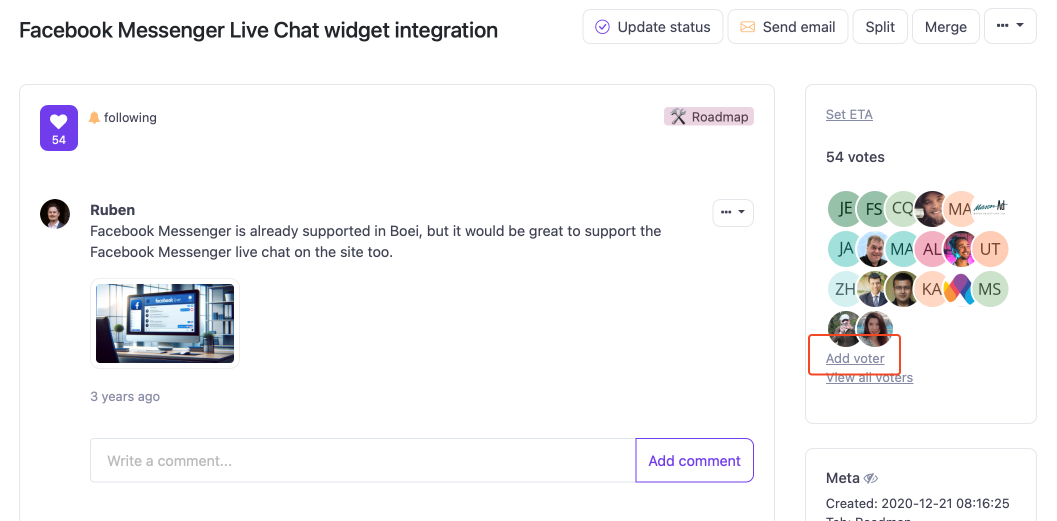
Open the post you want to add the vote to. Then click "add voter" on the right side.
Step 2. Link the vote to your customer
Add the vote of your customer by entering their email or name. Their account will automatically show up.
Select the account and vote.

If the account is not showing up, the person has no account or is not invited yet. In that case, tick the checkbox for a new account.
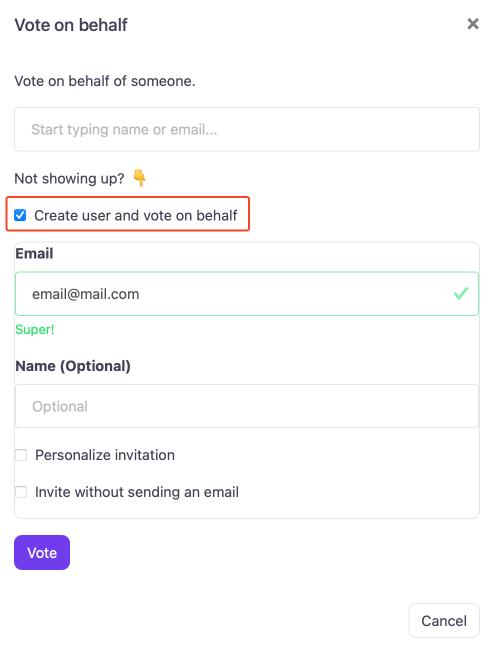
The user will be created, they get an invite and their vote is added to the post. If you don't want to send the invite, you can tick the box "Invite without sending an email".
Step 3. Ready
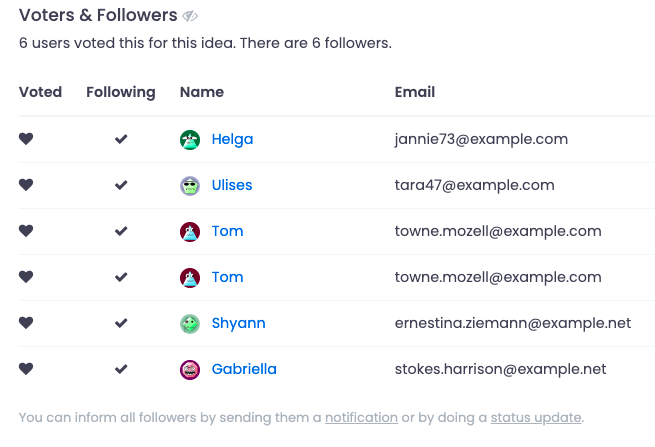
The vote is completed and is added to your list of "voters & followers".
ProductLift API
You can vote on behalf using the ProductLift API.
curl --request POST \
    "{YOUR-PORTAL-URL}/api/v1/posts/{POST-ID}/votes/{CUSTOMER-ID}" \
    --header "Authorization: Bearer {YOUR_AUTH_KEY}" \
    --header "Content-Type: application/json" \
    --header "Accept: application/json"
You need to have an active customer for this, or you can create a new one.
Via integrations
You can vote on behalf from 1.000+ systems using the Pabbly Connect integration.