Anonymize end-user identities
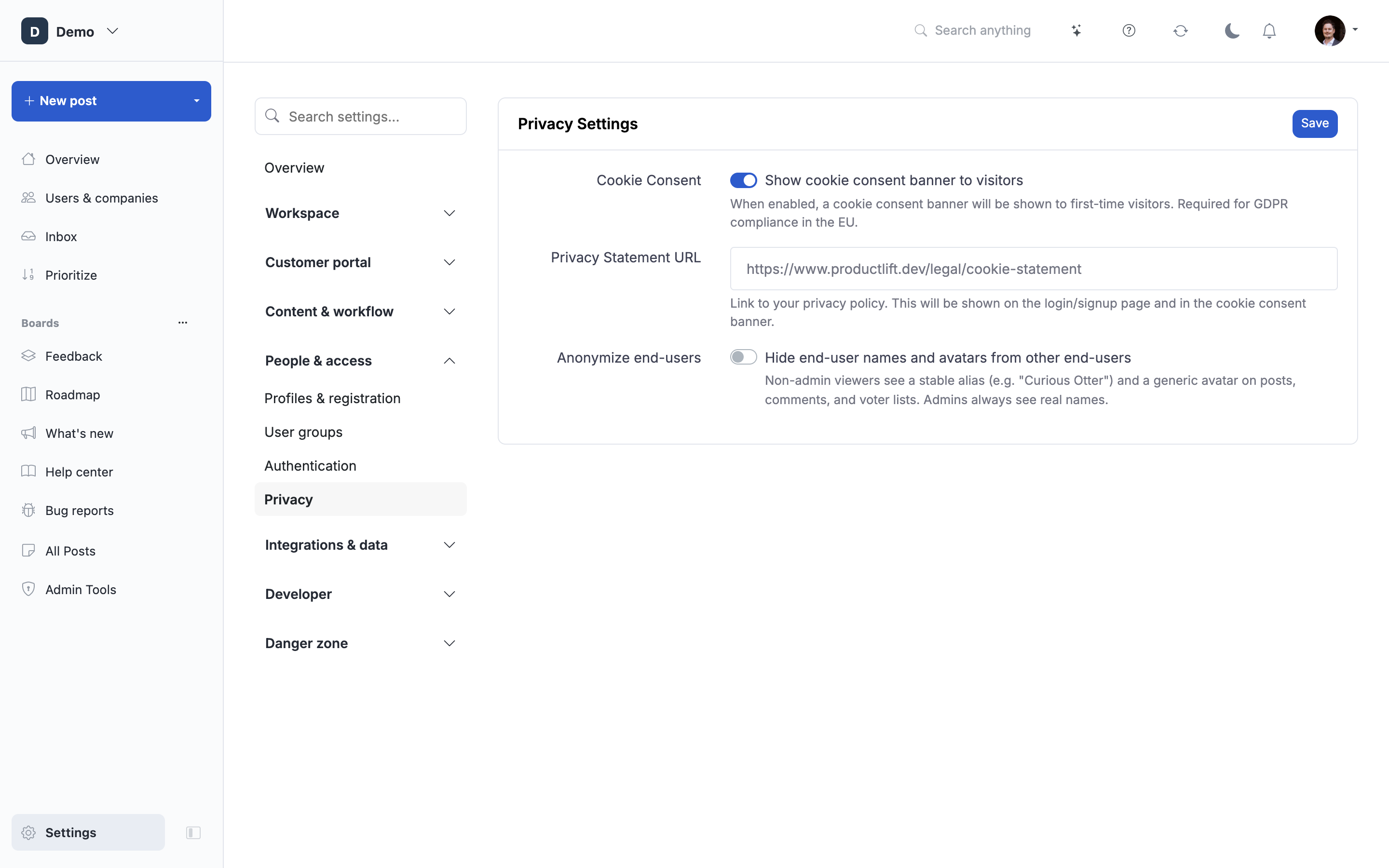
Hide the real names and avatars of your end-users from other end-users, while keeping full identity for admins.
How to get there: Go to Settings → Privacy in the admin sidebar, then flip the "Hide end-user names and avatars from other end-users" toggle.
When to use it
Turn this on when your portal is public but the people posting shouldn't be. Common reasons:
- Competitive intelligence. You don't want a competitor scraping your public board to see which of their customers are also filing feedback with you.
- Regulated or sensitive domains (healthcare, HR, finance, legal). Even a name next to a feature request can be a data-exposure risk.
- B2B where the account matters, not the individual. You still want the person (admin sees their name), but you don't want to expose "Jane Smith from ACME asked for X" to every other visitor.
- Reducing social pressure. Some end-users won't upvote or comment publicly under their real name. An alias lifts that friction and can lift engagement.
What it does
When the toggle is on, non-admin viewers see:
- A stable alias in place of the real name (e.g. "Curious Otter", "Prompt Beaver"). The same end-user always gets the same alias on your portal, so history stays coherent.
- A colored initials avatar generated from the alias (e.g. "CO" for "Curious Otter") in place of the real profile picture. No uploaded photo, SSO avatar, or gravatar is served.
Admins are never masked, in either direction:
- Admins viewing: you always see real names, emails, and avatars in the admin UI, exports, notifications, webhooks, and the API.
- Admins being viewed: your name and avatar stay visible to end-users so your replies keep the "response from a real person" signal (with an Admin badge next to the name).
Only end-users (members) get an alias.
Where the mask applies
The mask kicks in wherever a non-admin end-user would see another end-user, including:
- Post authors on lists and detail pages.
- Comment authors and comment replies (
@mentions in the reply prefill are aliased too). - Voter and follower avatars on posts.
- Voter avatars on post lists.
- Poll creators.
- Status change timeline entries.
- User profile pages (
/user/profile/{id}). - Notification menu items ("X commented on your post" resolves to the alias).
- Public JSON-LD schema.org metadata (so search engines don't index real names either).
The end-user themselves is never masked in their own view (they still see their own real name on their own posts and votes).
Where the mask does NOT apply
- Admin UI: real names throughout, always.
- API responses to Portal API tokens: real names, so integrations, webhooks, and exports keep working.
- Notifications delivered by email to admins: pre-baked with the real name at dispatch time.
- Content the end-user typed themselves: if a user typed their own name into the post description or a comment body, that text is not rewritten.
What it does NOT do
- It doesn't hide vote counts. Use Hide vote count from customers for that.
- It doesn't hide the fact that a post exists. Use private portal if you need to lock the whole board down.
- It doesn't retroactively rewrite content bodies. Only the author/voter name and avatar are masked.
- It doesn't affect the underlying
userstable. Real names, emails, and SSO identifiers remain intact so you can turn the toggle off at any time and everything reverts.
Turning it off
Flipping the toggle off restores real names and avatars everywhere immediately. The aliases stay in the database, so if you turn it back on later, the same end-user will get the same alias they had before.
Plan availability
Anonymize end-user identities is a Business plan feature. If you're on Starter or Pro, the toggle is disabled with an upgrade link.
 Powered by ProductLift