Embed roadmap widgets
How to get there: Go to Settings → Share & embed → Widgets. In the Embed a board section, click your Roadmap board to create an embed, or pick Board Sidebar under "Other widget types" to create a slide-in roadmap.
A roadmap widget is a ProductLift widget pointed at one of your Roadmap boards. It lets visitors browse your plan straight from your website or app, without leaving for the portal.
Choosing a display mode
The Widgets page is board-first. Your boards appear as cards in the top section, and clicking any board (including a roadmap) creates an embed widget for it. To get a sidebar instead, pick Board Sidebar from the "Other widget types" section and then select the roadmap board.
There are two common display modes for a roadmap:
Embed
Renders the board inline on a page you choose. Paste the iframe (or SDK) snippet into your page, and the roadmap shows up in that spot.
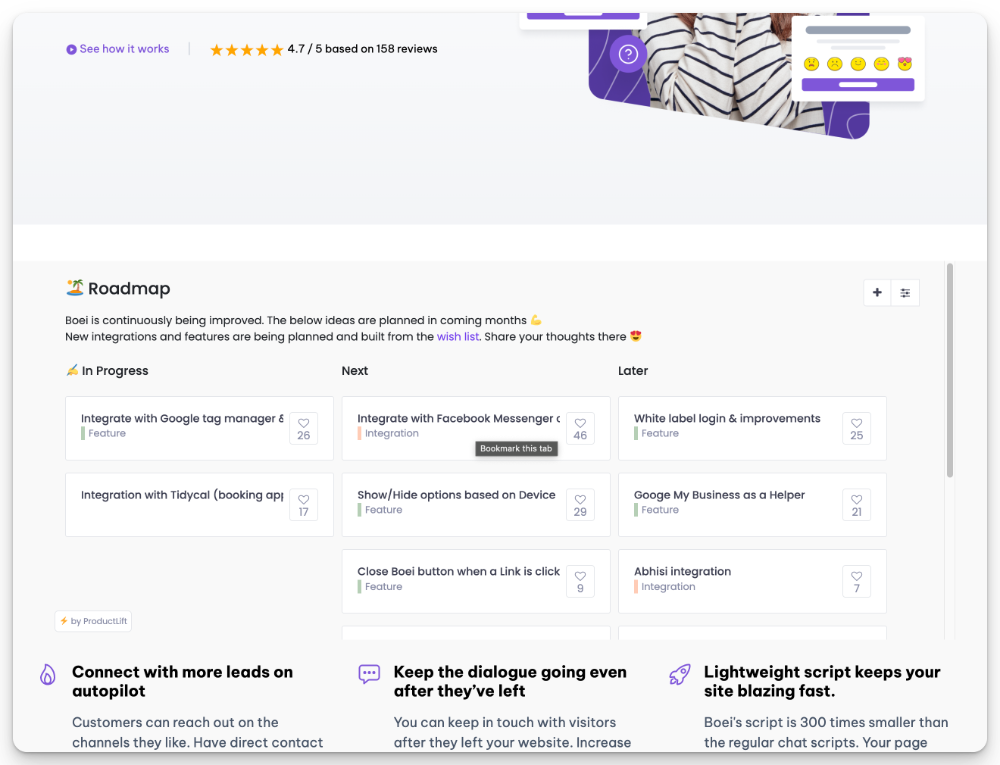
Good fit for a dedicated /roadmap page on your marketing site or in your help center.
Sidebar
Slides in from the side of the page on demand. You add a trigger button or link, and the roadmap opens over your current page.
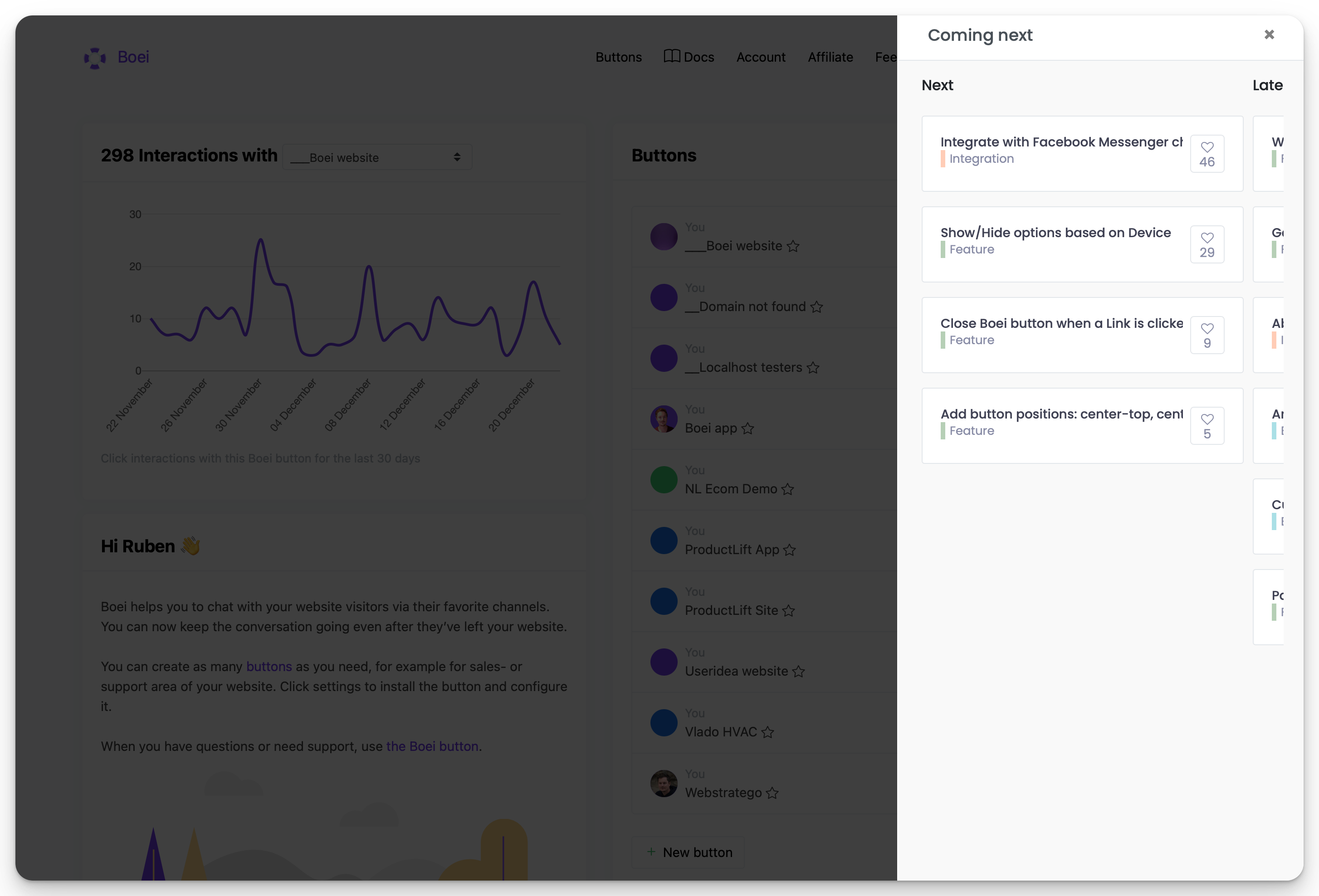
Good fit for in-app placement: a "Roadmap" button in your nav opens the panel without leaving the current screen.
Customising what visitors see
Open the widget and use the Settings tab to configure:
- Board the widget points at. Switch between roadmap boards or other board types.
- Header title shown above the board.
- Appearance toggles for the navigation menu, board bar, and breadcrumbs. Strip these down for a cleaner embed.
- Default category and status filters so the widget opens on the slice you want (for example, only "In Progress" items).
- Post types the widget accepts when used together with feedback forms.
The Preview tab shows a live render as you tweak settings.
Single sign-on for personalised roadmaps
When you identify your users via SSO, the widget recognises them automatically. They can vote and comment without a separate ProductLift login, and they see the right "unread" state on changelog widgets. See Install widgets for the SDK and JWT options.
Styling
Roadmap widgets respect your portal's branding. For deeper changes (colors, spacing, fonts) use Custom CSS / SCSS. The same CSS applies to the embedded view.
Full setup walkthrough
For platform-specific install steps (HTML, WordPress, Webflow, Framer, Shopify, React, Vue, Next.js, etc.), copy snippets, and the SDK reference, see the Install widgets guide.